
Chapter 8: FileScope Display Modes
Selecting a display mode can be made via a function key F6 or a Drop-down Menu for the following:
-
Multi record mode = display, update
-
Single record modes = display, update, add, delete, user choice
The mode of work appears highlighted on the upper right side of the screen. For example, in single record add mode, each Enter causes an addition of a record, unless any control function has been requested.
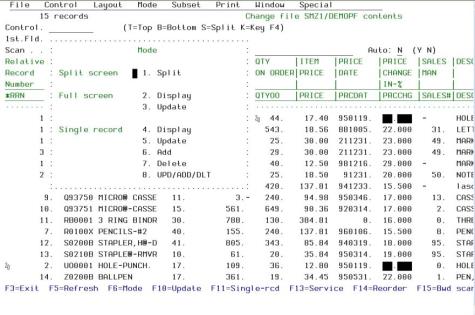
NOTE: The MODE Drop-down Menu can look different according to the System i emulation you are working with.
The content of the MODE Drop-down Menus can be different depending on the FileScope features you are using - SHOW FILE or CHANGE FILE - and the version of FileScope you are working with – Platinum or Gold.
The MODE Drop-down options are not detailed in this chapter. Refer to the corresponding part of this manual that gives details on each option.